
Screen time, interrupted.
Take back
your time.
That's how long the average person stares at their phone.
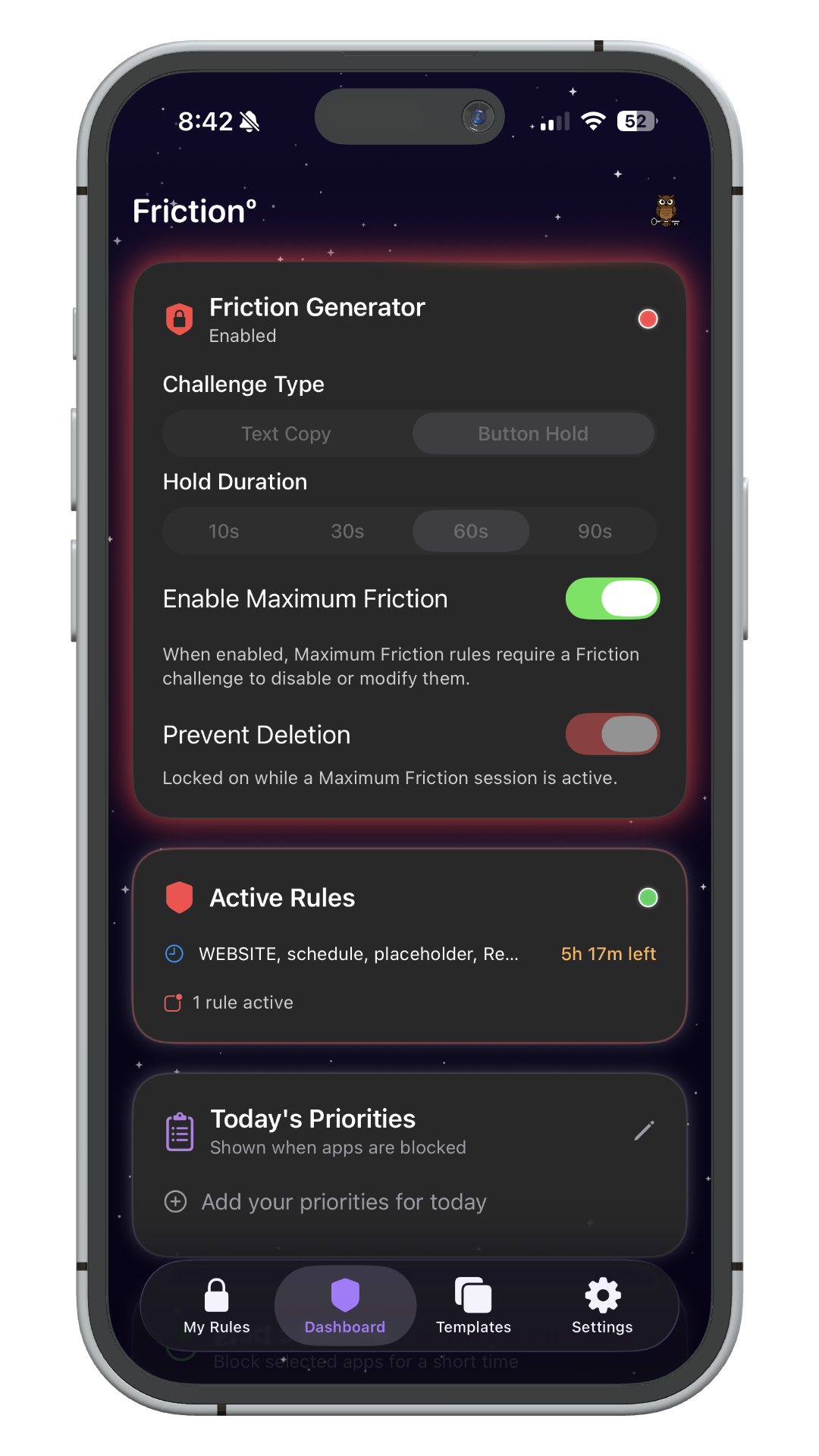
Frictionº makes it harder to mindlessly open distracting apps — so you only use your phone when you actually mean to.
Available on iPhone · iOS 18.2+
How it works
Create Rules
Choose which apps to block and when. Set schedules, time limits, or location-based triggers.
Add Friction
Choose a challenge that guards your rules. Modifying or deleting a block requires completing it first — so the commitment you made protects you from the impulse that wants to undo it.
Stay Focused
Friction keeps you in control. Break the autopilot habit and reclaim your attention.
The challenges
Your rules, protected from your future self.
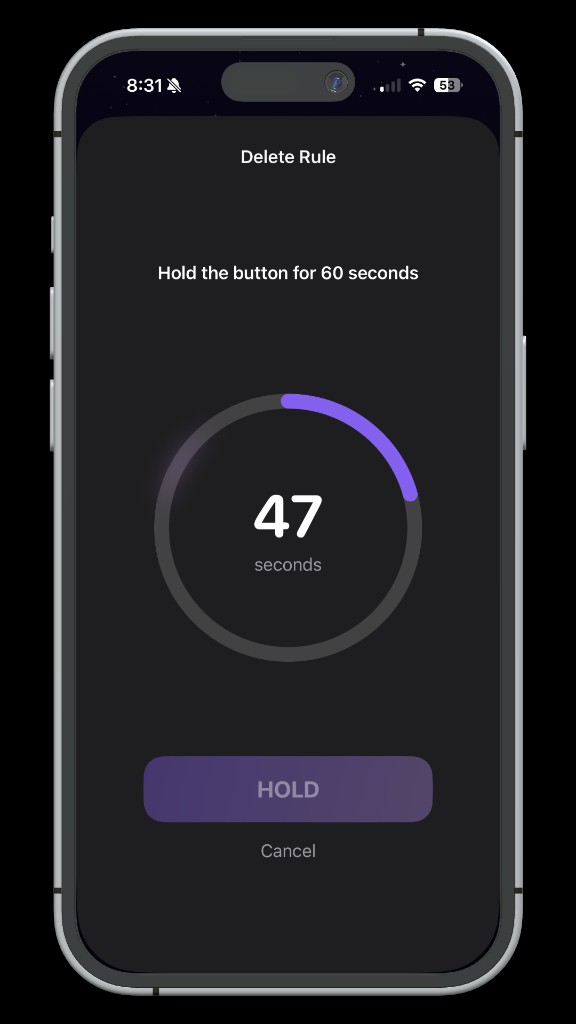
Button Hold
Hold a button for up to 90 seconds before a rule can be changed. That friction is usually enough to remember why you built the wall.
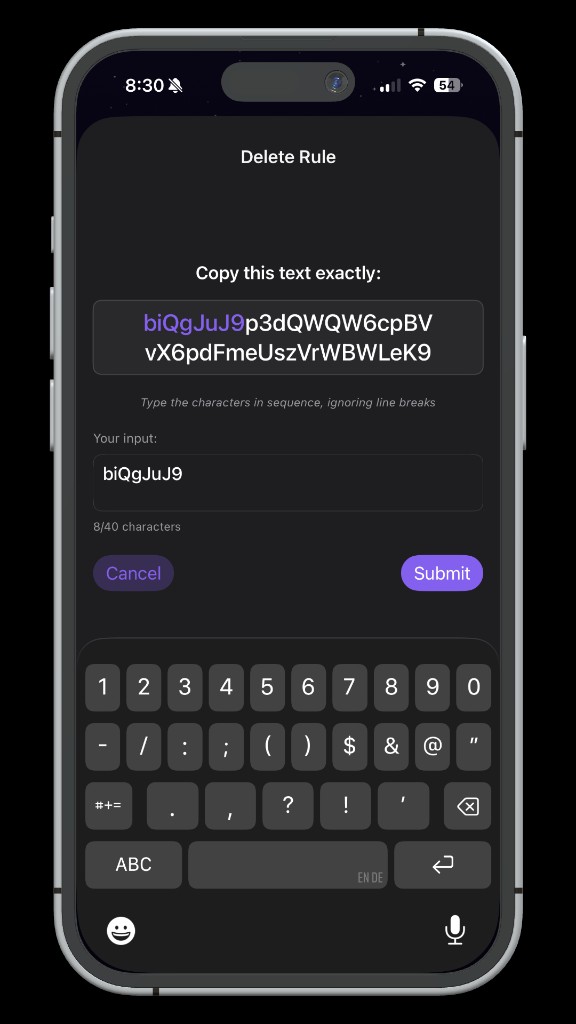
Text Copy
Copy a random string before you can modify or delete a rule. At 40+ characters, you'll likely remember why you set it before you finish.
Features
Everything you need to build a healthier relationship with your phone.
Scheduled Blocking
Set recurring windows to block apps automatically — mornings, work hours, bedtime, or custom.
Multi-Time Rules
Create rules with multiple time windows throughout the day for granular control over your schedule.
Location-Based Rules
Automatically activate blocking when you arrive at the gym, office, library, or anywhere you choose.
One-Time Focus Sessions
Start an instant focus session for any duration. Perfect for studying, deep work, or creative flow.
The Friction System
The core differentiator. Adjustable challenges guard your rules — making them hard to undo in a weak moment, without making them impossible to change when you genuinely mean it.
String-Copy Challenges
Copy a long random string before a rule can be modified or deleted. The longer it is, the harder it is to convince yourself this exception is actually necessary.
Button-Hold Challenges
Hold a button for up to 90 seconds before a rule can be changed. That deliberate pause is usually enough to remind you why the rule exists.
App & Category Blocking
Block individual apps or entire categories like Social Media, Games, or Entertainment in one tap.
Website Blocking
Block specific domains across all browsers, plus optional adult content filtering for comprehensive protection.
Custom Shield Screen
When an app is blocked, a branded shield appears with your daily priorities — a gentle reminder of what matters.
Snooze Control
Need a quick break? Snooze a block temporarily, then re-engage with friction — staying deliberate every step.
Pricing
Start free. Upgrade when you're ready.